If you're looking for AI video prompts for social media, one of the most useful things is prompts that can be adapted to different design styles and different purposes. And that's exactly what I'm going to show you here — a fast, simple workflow that anyone can do, and that can be adapted to any brand or idea.
The prompts here mostly reflect the design style that fits the branding of Electric Puma studio for AI video production. But you can absolutely change the design styles. And to show you that, I've also included the sneaker prompt, which is in a slightly different style. But really, you can apply any style here with ease — just like the AI sticker effect proves you can shift style and keep the same workflow.
The main work, for anyone who wants to tweak this prompt a bit, is changing the base image. You can change the color and style of the background, and you can change the style of the artwork that appears on the wall. And of course, you can draw anything — it could be the name of a kid celebrating their bar mitzvah (maybe as a starting point for a bar mitzvah AI video), it could be your brand's logo, or a message of love for a company.
So this simple prompt genuinely has uses for personal projects too, and for anyone who wants to produce AI ads and content for social media.
So let's dive right into these eye-catching AI videos for social media.
Want to see the final result before diving into the prompts? Here's the guide on YouTube:
How Is This Pipeline Built?
This video isn't created from a single prompt. It's built from three steps that run across two different tools, with each step feeding the next:
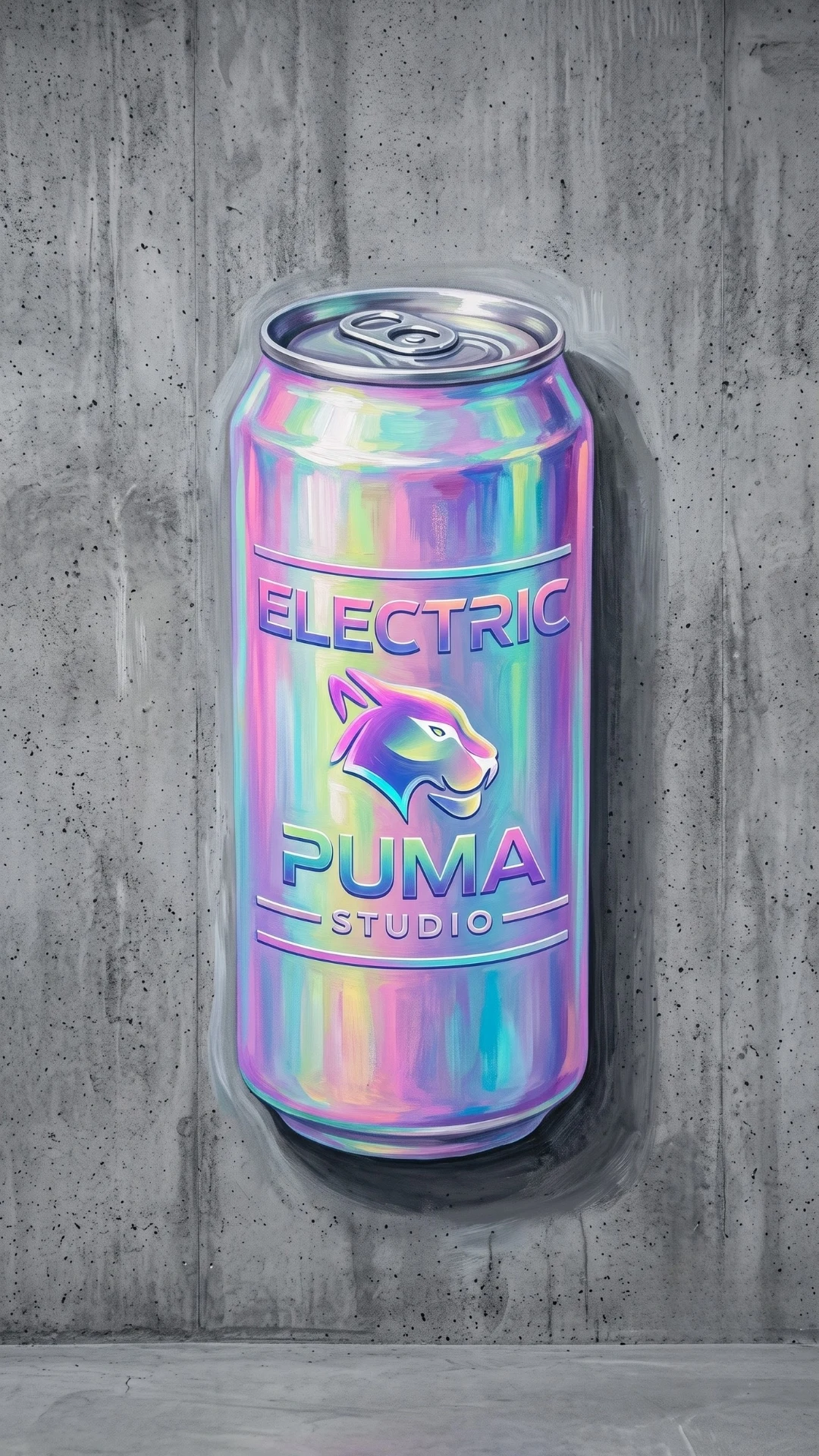
- Image A — the colorful "final image" — created in an image generator (GPT-image). This is the finished product: holographic finish, studio lighting, industrial concrete wall in the background. But of course, you can also use Nano Banana or other image generators. And as I said, you can do this in different design styles.
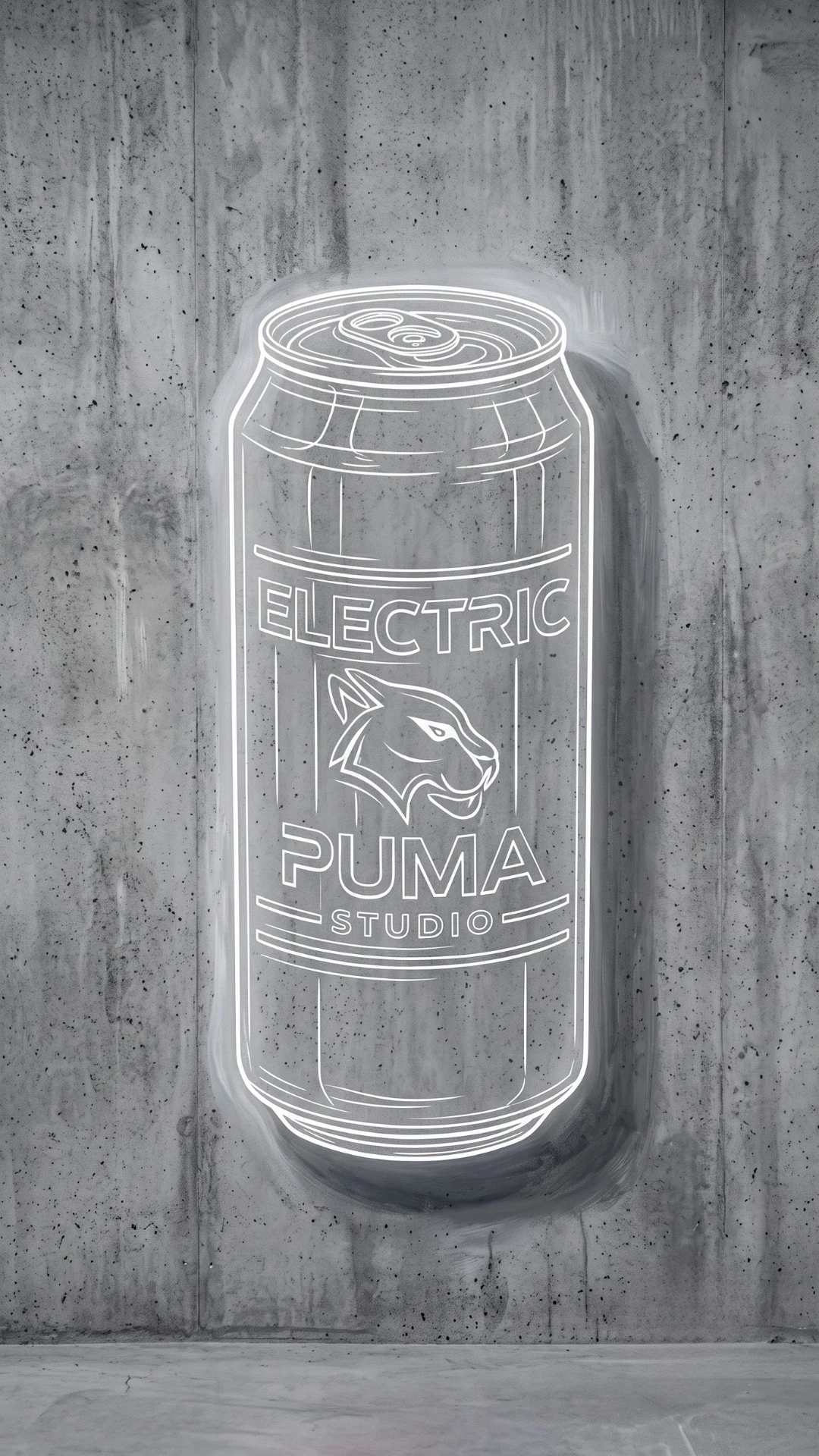
- Image B — the "starting image," a white outline — once you have the final image, you need the starting image. I chose to make white outline lines already drawn on the wall. Just as easily, you could do this on a plain wall (careful — the video prompt needs a tweak for that). To create the starting image, there's an additional prompt to run with the first image as a reference. Here too, I challenge you to get creative and give the outline your own personal style.
- The video itself — created in Google Flow, with Image B as the opening frame and Image A as the ending frame. A hand with a spray can sprays over the outline, and the color is "revealed" in sync with the hand's movement. In principle, this will work in any video generator that lets you work with a start frame and end frame, like Kling 2.5 or Kling 3. But I'll note that my prompts were tested on Google Flow and worded to get the best result specifically in that video generator.
The beautiful part: step 2 (turning the image into an outline) is a completely generic prompt — the exact same wording worked on the can, the t-shirt, and the sneaker, without changing a word. That saves a ton of time when you want to turn the concept into a series — just like the gel tube trend is also built on one base prompt adapted to different products.
It was important to me to explain the workflow in detail, so it'll be easier for you to make changes and create prompts for eye-catching AI videos for social media that have your own touch.
Image-to-Image Generators Are Still Relevant — Despite All the New Capabilities
I know there are more advanced models and different workflows out there, and some of you might be wondering why I keep writing guides about producing video using image-to-image. It's tempting to think that now that we have new models that can generate entire videos from text alone, the image-to-image step (like step 2 in the pipeline above) has become unnecessary. That's a mistake.
Image-to-image is the only way to preserve exactly the shape, proportions, and angle of an existing object, while changing just one attribute of it (in our case — the color/texture). A model that generates video directly from text, without ready-made keyframes, will usually "reinterpret" the product in every variation — and that's exactly what we don't want when we already have a specific product design that needs to be preserved. So even with newer, more impressive tools on the market, it's worth knowing this method and keeping it in your toolkit — it's still the most reliable way to guarantee consistency between the first and last frame.
Of course, the more advanced tools also know how to work with reference images, but that brings me to the second advantage of producing image-to-image videos — the price advantage. There's a big price gap between models like Seedance and image-to-image models like Kling 2.5. So you don't always need to rush to the newest, most expensive model.
And in general, it's worth getting to know all the models — that's the only real way to create eye-catching AI videos for social media.
Example 1: "Electric Puma" Soda Can
I know this is a bit overdone — the internet is full of demo videos for energy drinks and cans. But like I said, you can swap in different products.
Step 1 — Image A (colorful)
A large hand-painted mural of a premium aluminum beverage can on a raw industrial concrete wall. The artwork is created in a realistic digital painting style with visible painterly brush strokes, soft blended edges, and subtle mural imperfections. The can has a luxurious iridescent holographic finish with shifting pastel reflections in cyan, magenta, violet, pink, turquoise, and silver. Modern minimalist branding with bold futuristic typography and a sleek animal logo. Soft ambient glow around the can, realistic painted shadows directly on the concrete wall, creating the illusion of a professionally painted street-art mural rather than a photo. Clean centered composition with lots of negative space. High-end commercial branding aesthetic, ultra detailed, premium digital illustration, contemporary urban art, hyper-realistic painted textures, 8K, vertical 9:16.The result from this prompt:
Step 2 — Image B (white outline, image-to-image on Image A)
Transform the uploaded image into a clean monochromatic white line-art mural while preserving the original object's exact shape, proportions, perspective, composition, branding, and all recognizable design details. Remove all colors, materials, textures, reflections, and shading from the object itself, replacing them with smooth, evenly weighted white contour lines and minimal internal detail lines. Place the artwork on a raw industrial concrete wall with realistic concrete texture visible through the design. Add a subtle soft white outer glow around the line art and a natural painted wall shadow to create the illusion that the artwork is painted directly onto the wall. The style should be minimal, premium, architectural, and modern, with crisp vector-like lines, clean negative space, and a high-end mural aesthetic. Preserve the original camera angle and framing. Ultra clean, highly detailed, vertical 9:16.The result from this prompt:
Step 3 — the video (Google Flow, Image B as start frame, Image A as end frame)
A static, locked-off shot facing a gray concrete wall. The video begins with a clean white outline of a floating soda can centered in the frame. A hand holding a spray paint can enters the scene and begins spraying over the outline. As the spray mist hits the wall, the white outline dynamically transforms into a fully rendered, vibrant 3D holographic soda can with the text "ELECTRIC PUMA". The camera remains completely still throughout the entire shot, capturing the realistic spray paint effect as it reveals the final artwork.The result from Google Flow — the full video:
Example 2: Streetwear T-Shirt
I've wanted to print my logo on dri-fit shirts for a while now — get a little self-promotion going at the gym, right? But in the meantime, I decided to try painting it, and along the way, give you a prompt for an AI video.
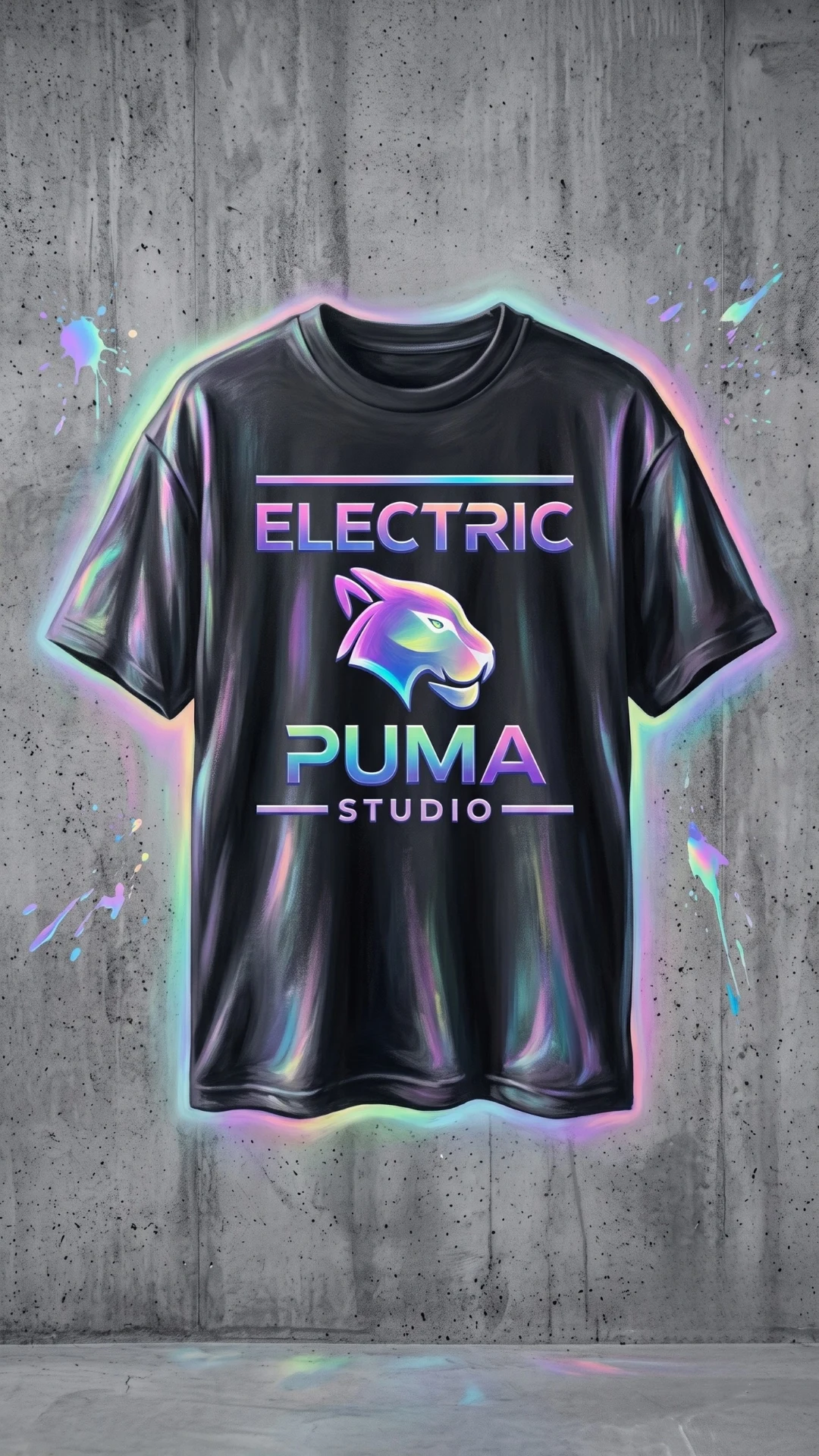
Step 1 — Image A (colorful)
A premium streetwear t-shirt mockup hanging against a raw industrial concrete wall, centered composition, oversized black cotton t-shirt with realistic fabric folds and soft wrinkles. The front features a large futuristic neon logo with vibrant iridescent gradients in cyan, magenta, purple and electric blue. The typography is bold, modern and minimal, combined with a sleek stylized animal emblem. A subtle holographic glow surrounds both the printed artwork and the shirt silhouette, creating a floating effect. Small colorful paint splashes decorate the concrete wall around the shirt. Soft cinematic studio lighting, high contrast, ultra-clean composition, premium apparel branding, hyper-realistic fabric texture, glossy iridescent reflections, modern cyber aesthetic, luxury merchandise presentation, highly detailed, 8K, vertical 9:16.The result from this prompt:
Step 2 — Image B (white outline)
Identical to the prompt used in the can version — no need to change a word:
Transform the uploaded image into a clean monochromatic white line-art mural while preserving the original object's exact shape, proportions, perspective, composition, branding, and all recognizable design details. Remove all colors, materials, textures, reflections, and shading from the object itself, replacing them with smooth, evenly weighted white contour lines and minimal internal detail lines. Place the artwork on a raw industrial concrete wall with realistic concrete texture visible through the design. Add a subtle soft white outer glow around the line art and a natural painted wall shadow to create the illusion that the artwork is painted directly onto the wall. The style should be minimal, premium, architectural, and modern, with crisp vector-like lines, clean negative space, and a high-end mural aesthetic. Preserve the original camera angle and framing. Ultra clean, highly detailed, vertical 9:16.The result from this prompt:
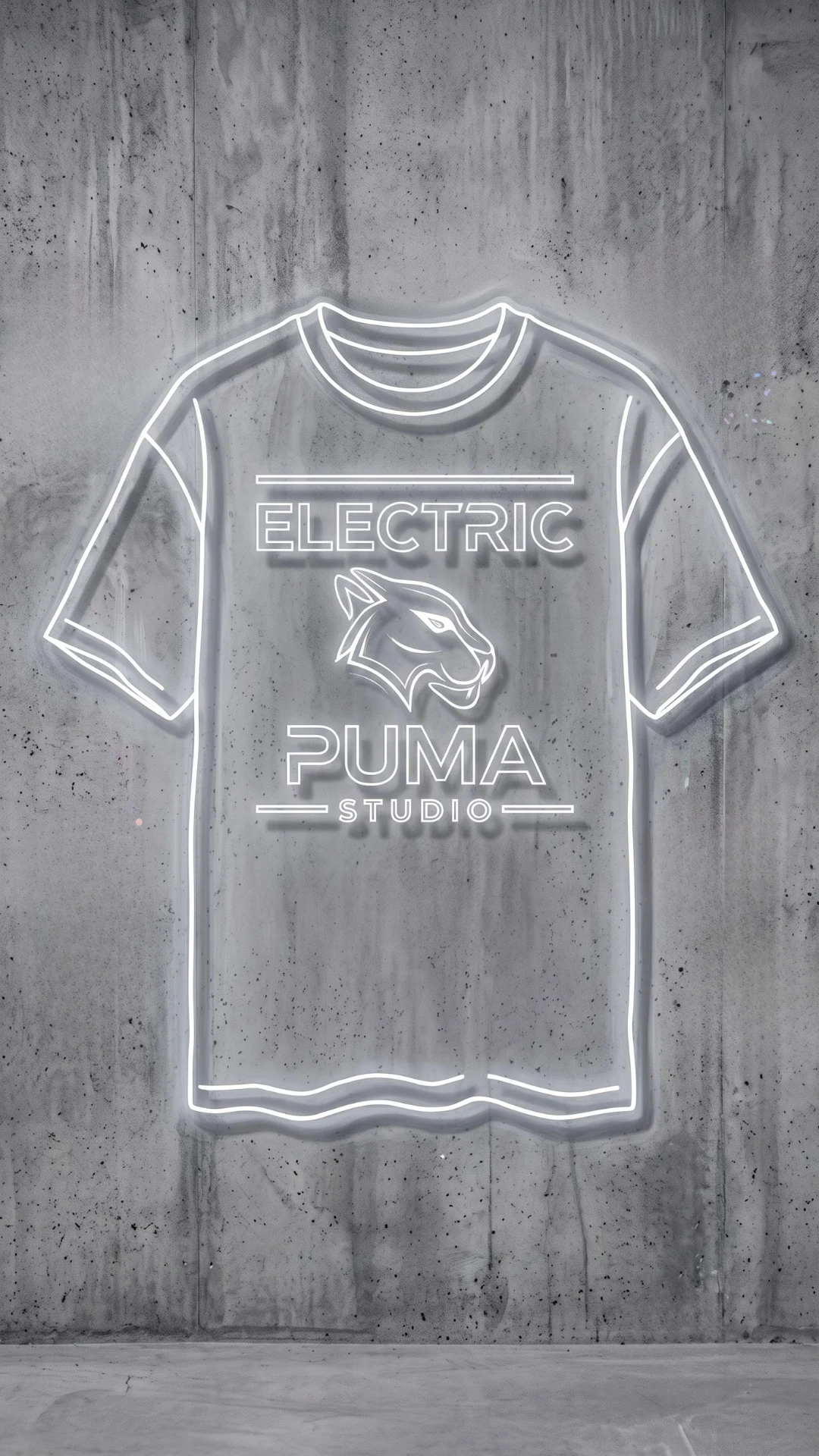
Step 3 — the video
A locked-off, static shot of a gray concrete wall with a floating white outline of a hanging t-shirt. A hand with a spray paint can moves across the outline, spraying mist. The fully rendered, vibrant holographic "ELECTRIC PUMA" streetwear t-shirt — with its iridescent neon logo, bold futuristic typography and sleek animal emblem — is revealed strictly in sync with the spray can's trajectory. The color and texture emerge incrementally, spreading outward only from the tip of the spray mist, while the unsprayed parts remain a simple white outline until the hand reaches them.The result from Google Flow — the full video:
A tip from our own experience: in the first version of this prompt, we accidentally left a reference to "soda can" from the previous example instead of "t-shirt." It still worked because the start/end images overpowered the text — but the lesson is clear: always make sure the video prompt's text description matches the product in the images exactly, before you run it.
Example 3: Sneakers
The first two prompts were faithful to my brand colors, but I wanted to show you what it looks like if you shift the style a bit. And I really did shift it a bit — you can take this in other directions and give it more of your own personal character.
Step 1 — Image A (colorful)
A premium streetwear sneaker mockup floating against a raw industrial concrete wall, centered hero-shot composition, single oversized sneaker with realistic leather and mesh texture, detailed stitching and sole grooves. The sneaker has a luxurious iridescent finish with shifting reflections in electric blue, voltage yellow, and chrome silver. An abstract lightning-bolt emblem is embossed on the side panel — no text, no wordmark, no animal logo. Subtle holographic glow surrounds the sneaker, creating a floating effect. Small colorful paint splashes decorate the concrete wall around it. Soft cinematic studio lighting, high contrast, ultra-clean composition, premium sneaker-drop branding aesthetic, hyper-realistic material texture, glossy iridescent reflections, modern cyber aesthetic, highly detailed, 8K, vertical 9:16.The result from this prompt:
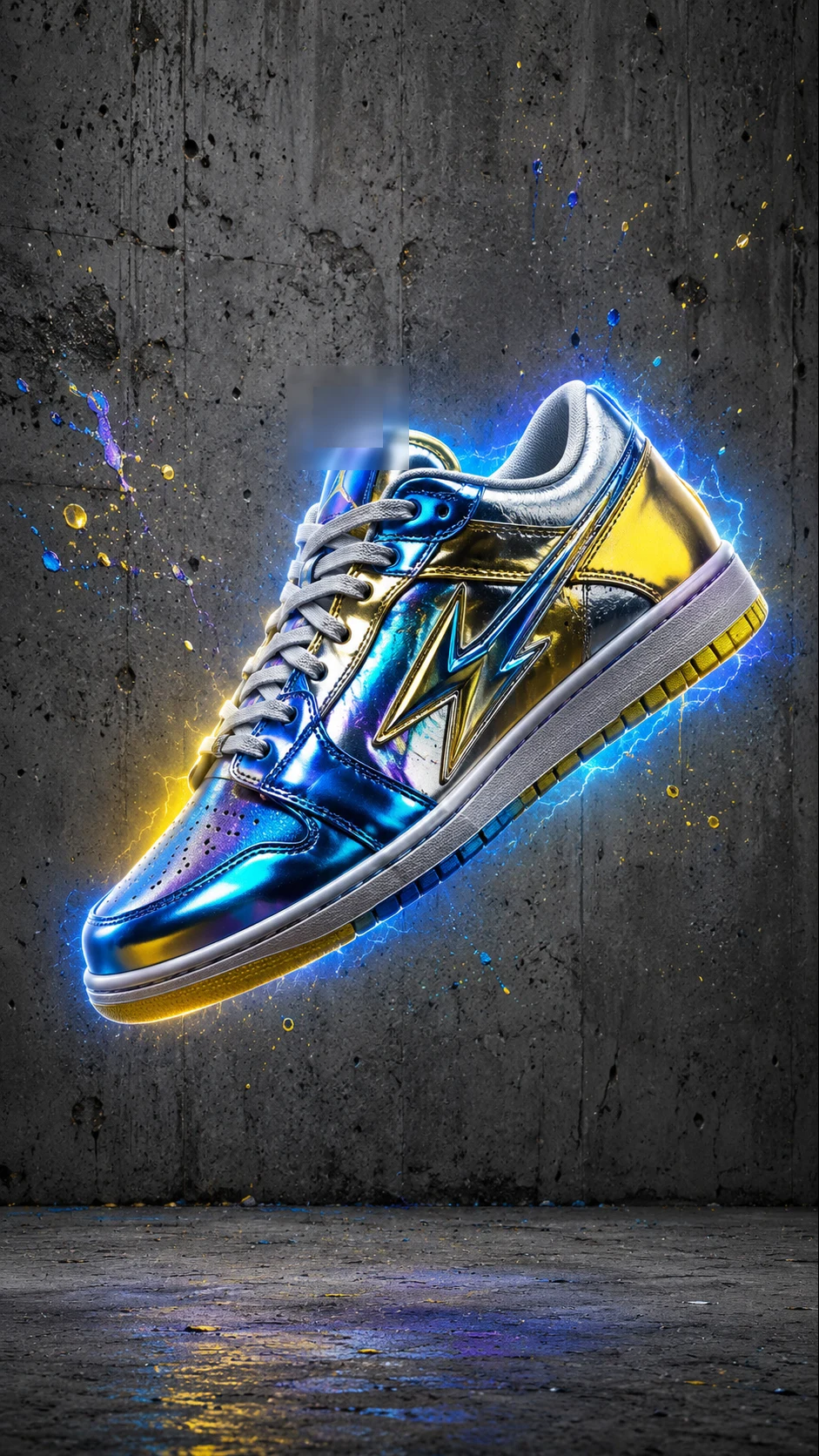
Step 2 — Image B (white outline)
Again, the exact same generic prompt:
Transform the uploaded image into a clean monochromatic white line-art mural while preserving the original object's exact shape, proportions, perspective, composition, branding, and all recognizable design details. Remove all colors, materials, textures, reflections, and shading from the object itself, replacing them with smooth, evenly weighted white contour lines and minimal internal detail lines. Place the artwork on a raw industrial concrete wall with realistic concrete texture visible through the design. Add a subtle soft white outer glow around the line art and a natural painted wall shadow to create the illusion that the artwork is painted directly onto the wall. The style should be minimal, premium, architectural, and modern, with crisp vector-like lines, clean negative space, and a high-end mural aesthetic. Preserve the original camera angle and framing. Ultra clean, highly detailed, vertical 9:16.The result from this prompt:
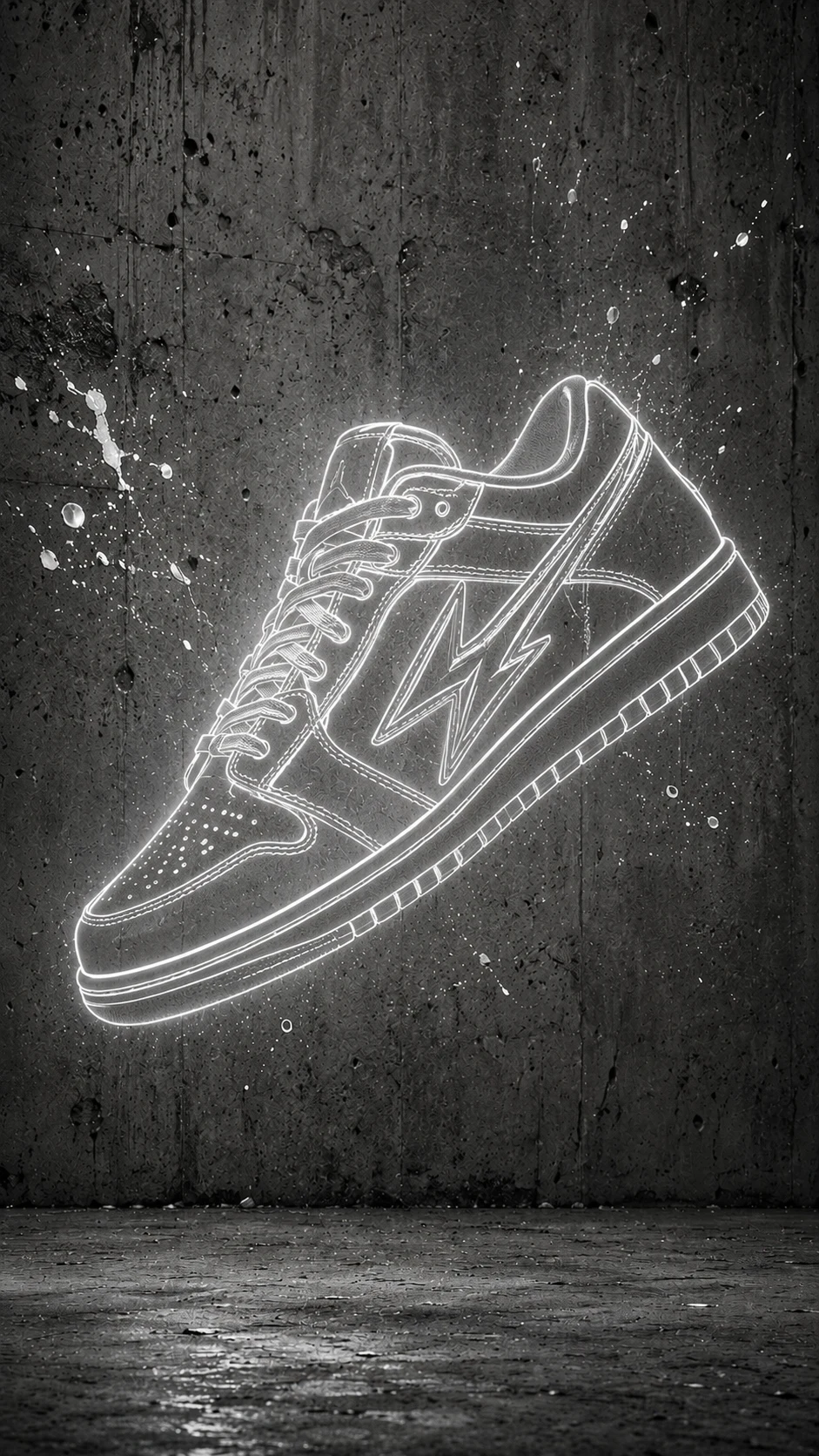
Step 3 — the video
A locked-off, static shot of a gray concrete wall with a floating white outline of a sneaker. A hand with a spray paint can moves across the outline, spraying mist. The fully rendered, vibrant holographic sneaker — with its iridescent electric-blue and voltage-yellow gradient finish, chrome accents and abstract lightning-bolt emblem — is revealed strictly in sync with the spray can's trajectory. The color and texture emerge incrementally, spreading outward only from the tip of the spray mist, while the unsprayed parts remain a simple white outline until the hand reaches them.The result from Google Flow — the full video:
These prompts, with the necessary tweaks, can fit the social media of any business. Whether you have an online store or a physical one, you can always use this to showcase products like shoes and fashion, and even gadgets. And I'll tell you — I even experimented a bit with cars, so this really is a very versatile technique.
And to help you build a nice social media presence — I invite you to keep following along: Instagram.
And of course, if you'd like personal consulting or want to commission work — feel free to reach out anytime.
Want to Learn to Do This Yourself?
If you've made it this far, chances are you're not just watching eye-catching AI videos for social media — you also want to know how to create them yourself. That's exactly the goal of private AI lessons: not another generic explainer video, but personal, one-on-one guidance through the tools, prompts, and processes while working on your own project.
If that sounds interesting to you, reach out, and let's build a learning plan together that fits exactly what you want to create.
What Did We Learn Today?
- A three-step pipeline: colorful image → white outline (image-to-image) → spray-reveal video
- The outline step is one generic prompt that works on any product, without changing a word
- Always double-check the match between the video prompt's text description and the product in the images
- Image-to-image is still essential for preserving exact shape/proportions — even with newer, more advanced tools
- There's also a price advantage: models like Kling 2.5 are much cheaper than models like Seedance, and you don't always need to rush to the most expensive one
You might also like
 How to Create an AI Advertisement with a Collage Image