In recent years, AI videos have become one of the most effective types of content on social media. Instead of settling for a static image, you can take a single design and turn it into a dynamic video within minutes — something that looks like a campaign from an international brand. And when it comes to AI advertisements for businesses and ecommerce, this capability has completely changed the rules.
One style we particularly love is Collage Animation — a video where layers of paper, images, typography, and graphic elements build up gradually until the final announcement is revealed. The result is eye-catching, scroll-stopping, and fits almost any industry — from consumer products to AI videos for ecommerce in a full commercial style.
The collage style works exceptionally well because it creates a sense of movement even when the frame is nearly static. The eye travels between layers, textures, and colors, so even a very short video feels rich and engaging. That's one of the reasons this style is common in campaigns for fashion, music, and technology brands.
Today I'm going to show you how to create stunning AI ads quickly and easily — ads that look incredible in the feed and can also be embedded in ecommerce websites. It's simple, straightforward, and essential knowledge for anyone creating AI videos for ecommerce sites.
The tools we'll be working with are ChatGPT for image creation, and the video generator Seedance 2. ChatGPT will also help us prepare the prompt for the video generator.
Why Does Collage Animation Stop the Scroll?
Before diving into the process, it's worth understanding why this style works so well.
Most social media ads are born and die in the first second. The viewer doesn't wait — they scroll. To stop them, something visual needs to happen that creates a sense of depth and movement from the very first moment.
Collage animation does exactly that: the video starts from a blank canvas and builds itself layer by layer. The human brain is wired to follow things that change, so the viewer finds themselves watching until the end — what's coming next? What will the final reveal be?
On top of that, this style is highly versatile: it can be adapted for luxury brands, local businesses, tourism, headphones, and even events. It's not a style that struggles to connect with an audience — it speaks to everyone through smart visual storytelling.
An AI Advertisement in 3 Steps
Step 1: Creating the Collage Image in ChatGPT
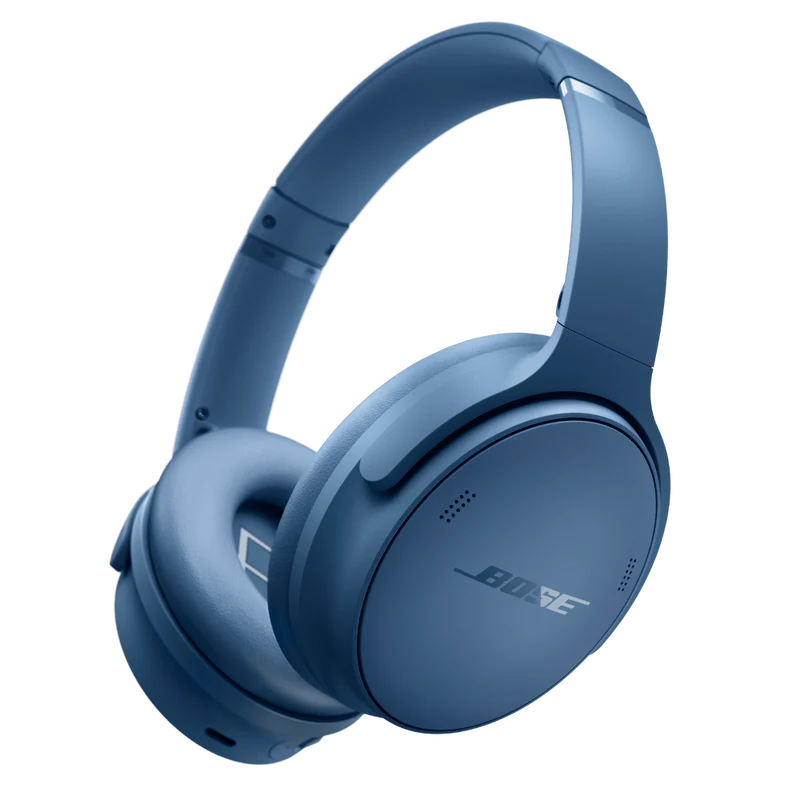
In the first step, we go into ChatGPT and enter the following prompt. In our example, we chose Bose QuietComfort headphones as the hero product — but you can swap in any other product:
Create a bold collage-style advertising poster featuring the provided blue Bose QuietComfort Headphones as the hero product. Preserve the exact shape, proportions, logo placement, and matte blue finish of the headphones. Emphasize world-class noise cancellation, premium comfort, and immersive sound.

Build the composition using torn paper textures, ripped paper edges, magazine cutouts, urban photography, music waveforms, graffiti elements, paint splashes, halftone textures, layered paper scraps, and oversized editorial typography.

Use a premium color palette of deep navy blue, cobalt blue, charcoal black, off-white, and subtle metallic silver accents to complement the product. Design with a luxury street-fashion campaign aesthetic, dynamic asymmetrical composition, layered mixed-media collage, bold negative space, dramatic scale, cinematic lighting, realistic shadows, premium product photography, razor-sharp focus, ultra-detailed textures, contemporary editorial graphic design, award-winning art direction, high-end commercial advertising, 8K.
Along with the prompt, upload the product image you want to incorporate into the poster. ChatGPT will use the image as a base and build the collage design around it.
And within a few seconds, you'll receive this image:
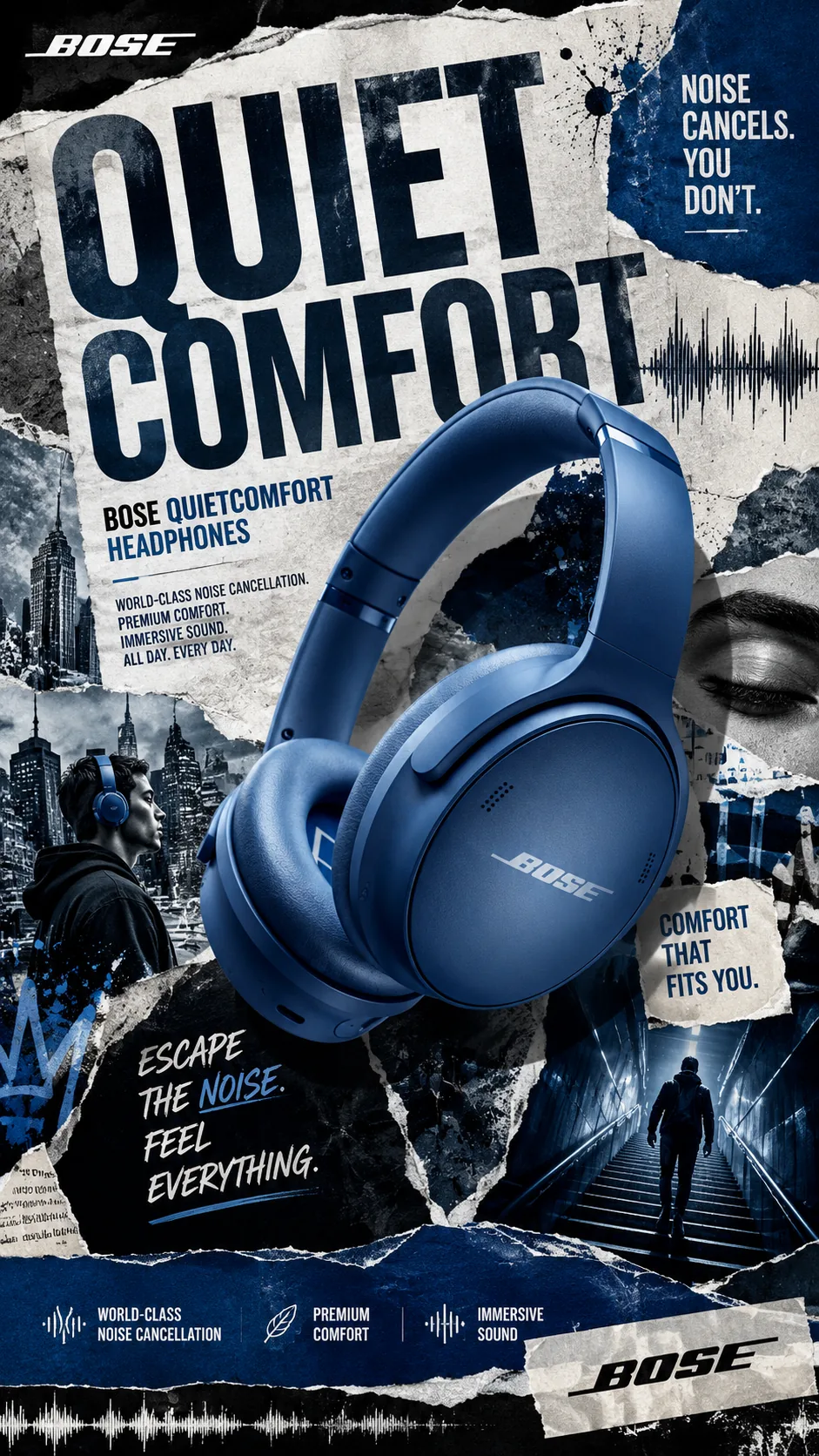
The reason this prompt works so well is the combination of specific instructions within the body of the text: we ask for the product to be preserved exactly as-is, and we define the design style in detail — textures, color palette, aesthetic — while giving ChatGPT creative room within clear boundaries.
Step 2: The Video Prompt
Now we don't need to think at all — we ask ChatGPT to do the work for us. Just type in the following command:
generate a video prompt that starts with a blank canvas and gradually builds the poster by animating each collage layer into placeWithin seconds you'll receive a ready-to-use prompt for Seedance 2, describing exactly how each collage layer will enter the frame — from dark to light, line by line, until the full poster is revealed.
This is one of the great advantages of working with AI: we're not just producing content — we're using one tool to optimize our use of another.
Step 3: Generating the Video in Seedance 2
In the third step, we copy the prompt we received from ChatGPT and paste it into Seedance 2 together with the image we created.
In our example, I chose to create an 8-second video — but you can choose more or less depending on your needs. A 5–6 second video works great for Instagram and TikTok. A 10–15 second video is better suited for paid ads that need more screen time.
After clicking the Generate button, within two to three minutes you'll have your video.
Creating AI Ads for Any Purpose
The specific prompt I showed you was designed for headphones, but you can adapt it in the same way for other products. Here are a few guidelines to help you:
Choose a design style that fits the product. Headphones and electronics work great with an urban, street-fashion aesthetic. Beauty products benefit from a softer style with florals and organic textures. Premium and luxury goods call for a gold-and-black palette with torn pages from high-end magazines.
Keep the product accurate. Always include an instruction in the prompt to preserve the product's shape, logo, and original colors. ChatGPT sometimes tends to "improve" the product — make sure it knows the image you uploaded is the fixed reference.
Don't be afraid of a little trial and error. That's part of life for anyone working with artificial intelligence. We built Electric Puma Studio through a lot of trial and error before becoming experts at creating viral AI videos that stop the scroll.
Vary the length. Not every ad needs to be the same duration. Try 5 seconds, 8 seconds, 12 seconds — and see what gets the most engagement with your audience.
Another Example: An AI Ad for the Tourism Industry
And if you need a little more inspiration — here's another example we made. This time, instead of an AI ad for gadgets, we tried something aimed at the tourism sector — promoting Cozumel, Mexico as a travel destination. Another industry that needs strong social media presence, and one where it's very hard to stand out when everyone is posting the same beach and sunrise photos.
An AI collage ad creates a unique feeling — something that looks like a magazine spread, a campaign from a major travel brand, not just another stock photo. The result:
The style works great for any tourism campaign that wants to look different from the competition. And as you can see in our UGC video guide — even a short, simple video can deliver the results of a full campaign.
Electric Puma — AI Video Production Experts
I hope this guide helped you create AI ads that stop the scroll.
If you want to take your videos to the next level, we at Electric Puma Studio specialize in commercial-grade AI production. We create product videos, social media campaigns, brand films, tourism videos, private event projects, and more.
You can also follow us on social media and learn to create things yourself.
And if you have a project idea — we'd love to help turn it into an impressive AI video.
What Did We Learn Today?
- ChatGPT + Seedance 2 = a complete AI ad production workflow in three steps
- Collage animation works because it creates movement and a visual story that stops the scroll
- The image prompt — specific, with a clear product-preservation instruction
- The video prompt — ChatGPT prepares it for you, no need to write it yourself
- Works for any industry — ecommerce, tourism, events, premium products
You might also like
 The AI Sticker Effect — Viral Animation in 6 Seconds