Vintage
The first style reaches back to the Golden Age of American comics: thick black ink lines, flat colors, exaggerated cartoon proportions, and a big title shouting "THE ELECTRIC PUMA" in a confident vintage font.
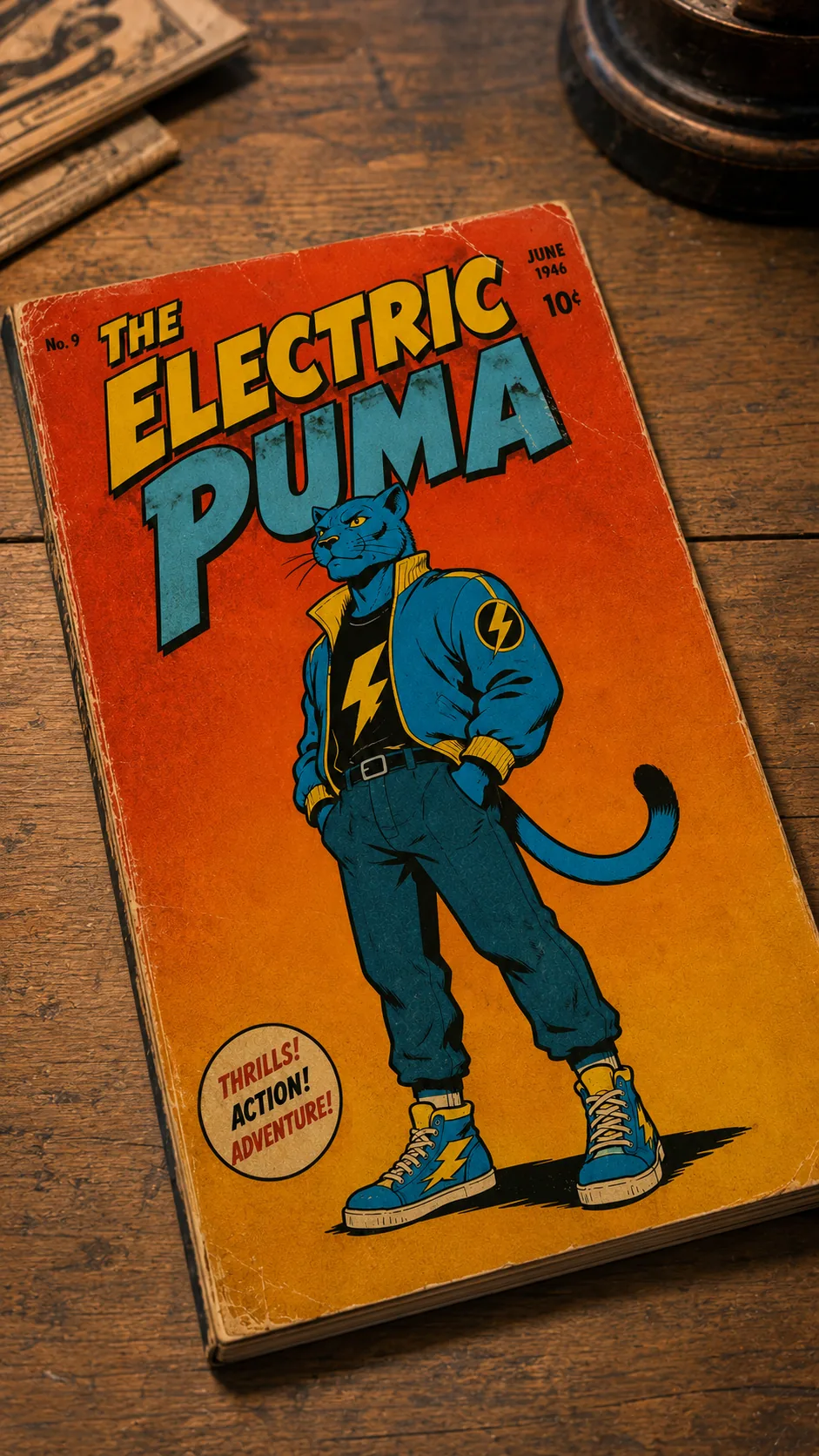
Here's the full prompt, you can copy it as-is:
Vintage 1940s American comic book cover featuring a full-body anthropomorphic blue puma standing confidently in the center. The puma wears a simple retro jacket, trousers and sneakers, with a bold yellow lightning bolt on the shirt. The pose is clean, iconic and easy to read, with both legs fully visible and a confident facial expression.
The composition follows a classic Golden Age comic cover layout: one oversized central character against a simple warm gradient background with almost no scenery. Large hand-drawn comic title at the top reading "THE ELECTRIC PUMA" in bold vintage lettering inspired by 1940s comic design.
Thick black ink outlines, clean brush linework, flat spot colors, minimal cel shading, limited color palette, expressive cartoon proportions, hand-painted vintage printing style, aged paper texture, subtle ink imperfections, slight print registration offset, lightly faded colors, authentic mid-century comic book cover aesthetic, simple graphic composition, highly readable silhouette, portrait. High-angle three-quarter view 9:16.
Cyberpunk
The second style is the visual opposite: a neon city, rain-soaked streets, glowing signs, and huge typography in bright yellow and hot pink, two colors most "safe" design guides would tell you never to combine.
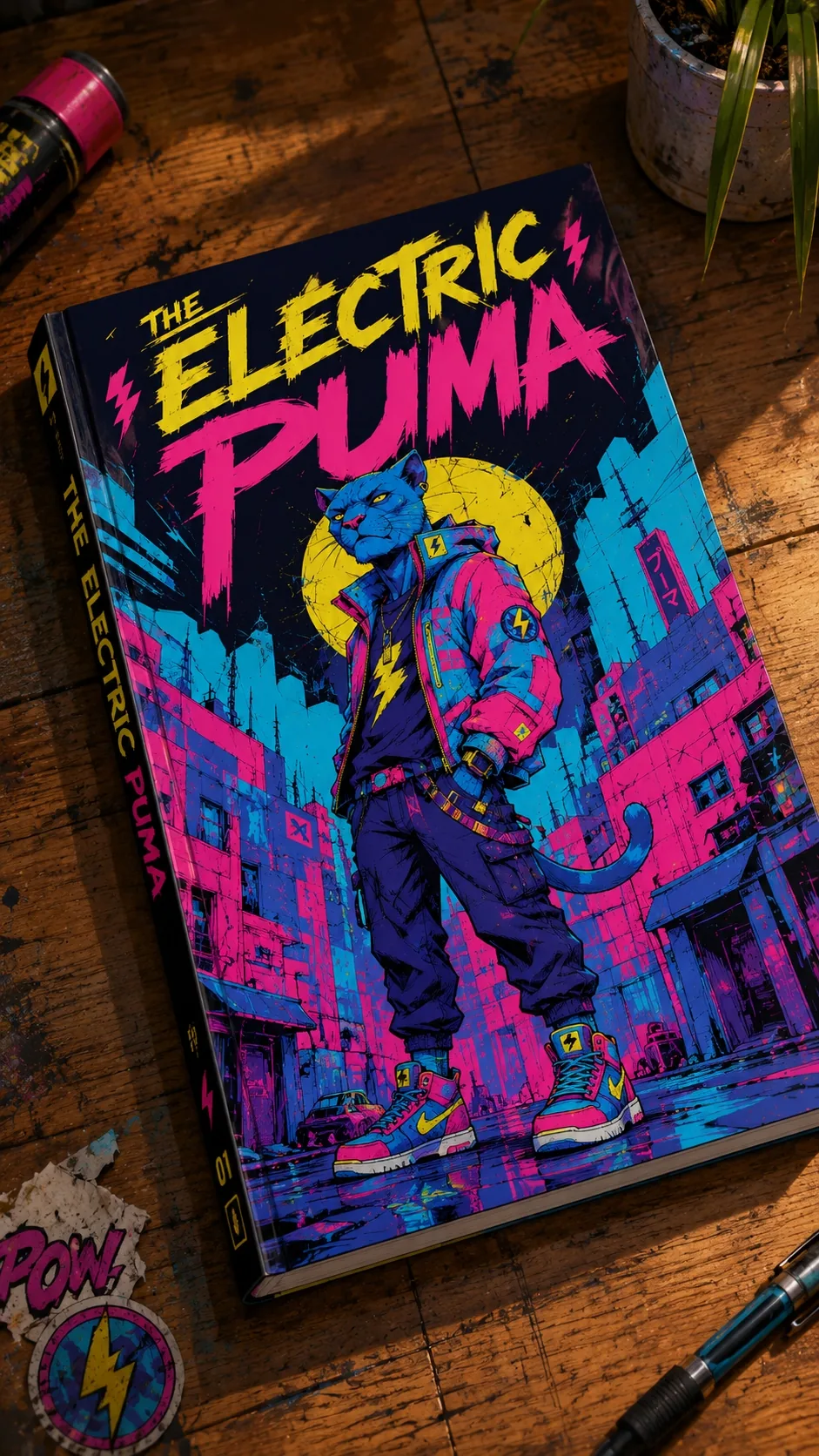
Here's the full prompt:
A bold cyberpunk comic book cover featuring a full-body anthropomorphic blue puma standing confidently in the center of the composition. The character wears oversized futuristic streetwear, a teal and magenta tech jacket, dark cargo pants, colorful high-top sneakers, fingerless gloves, and a black t-shirt with a yellow lightning bolt emblem. Yellow glowing feline eyes, confident expression, long tail visible, relaxed heroic pose with both feet fully visible.
Behind the character is a gritty neon city with rain-soaked streets, towering buildings, cables, signs and urban decay. A large glowing yellow moon creates a dramatic halo behind the character's head.
The title "THE ELECTRIC PUMA" dominates the upper third of the cover in huge aggressive hand-painted brush lettering. "ELECTRIC" in bright yellow, "PUMA" in vivid hot pink. Small electric bolt icons decorate the title.
Ultra-detailed comic illustration, graphic novel cover, bold black ink lines, expressive sketchy linework, vibrant cel-shading, neon cyan, hot pink and electric yellow color palette, graffiti-inspired shapes, textured brush strokes, high contrast, stylized urban dystopian atmosphere, premium comic cover design, centered composition, dynamic perspective, collectible comic book aesthetic, 9:16 vertical.
Modern Anime
The third style is different on one technical point: the prompt already describes a photo of a physical book, not flat artwork. That means at the video stage, the AI doesn't need to "imagine" there's a book there, it's already baked into the source image.
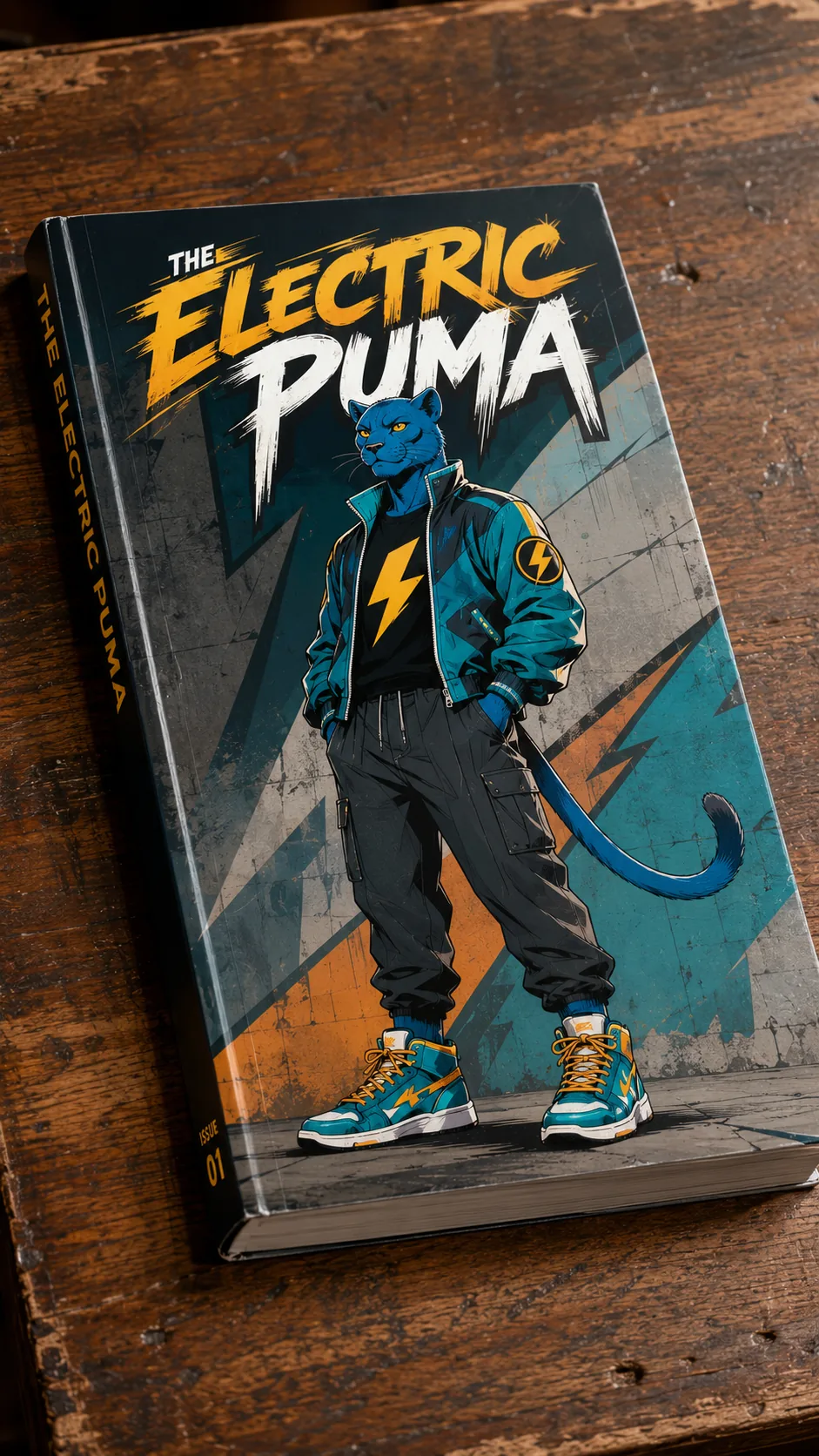
Here's the full prompt:
A premium comic book titled "THE ELECTRIC PUMA" lying diagonally on a worn wooden table, viewed from a high-angle three-quarter perspective, showing the front cover, spine and book thickness.
The cover features a full-body anthropomorphic blue puma standing confidently in the exact center. Both feet are fully visible. The puma wears stylish oversized modern streetwear: a teal-and-black bomber jacket, relaxed cargo pants, colorful high-top sneakers and a black t-shirt with a bold yellow lightning bolt emblem. Hands casually inside the jacket pockets, relaxed confident posture, long tail visible, sharp yellow eyes, subtle confident expression.
The illustration style is a modern anime-inspired fashion illustration with clean, elegant linework, expressive proportions, soft cel shading, painterly gradients, premium digital painting quality, subtle rim lighting, crisp details, balanced contrast and vibrant but controlled colors. The character has a stylish urban aesthetic rather than a superhero look.
The background of the cover is simple and graphic, featuring an urban concrete wall with subtle graffiti-inspired shapes and abstract geometric forms in muted cyan, gray and warm orange accents, keeping all attention on the character.
The title "THE ELECTRIC PUMA" appears at the top in bold custom modern lettering integrated naturally into the cover design.
Ultra-high-end graphic novel cover, premium illustration, clean composition, fashion editorial aesthetic, collectible comic book design, highly detailed, centered layout, portrait 9:16.
The camera is photographing the physical comic book itself resting on the wooden table from a high-angle three-quarter view, not the artwork directly. The book has realistic paper thickness, a printed glossy cover, and natural lighting with shallow depth of field. The character remains entirely printed on the cover.
Art Deco
The fourth style differs from the previous three in one way: there's no book or table at all, the artwork fills the entire frame edge to edge. That's what makes the POP moment feel like a movie's opening title sequence rather than a trick performed on an object.
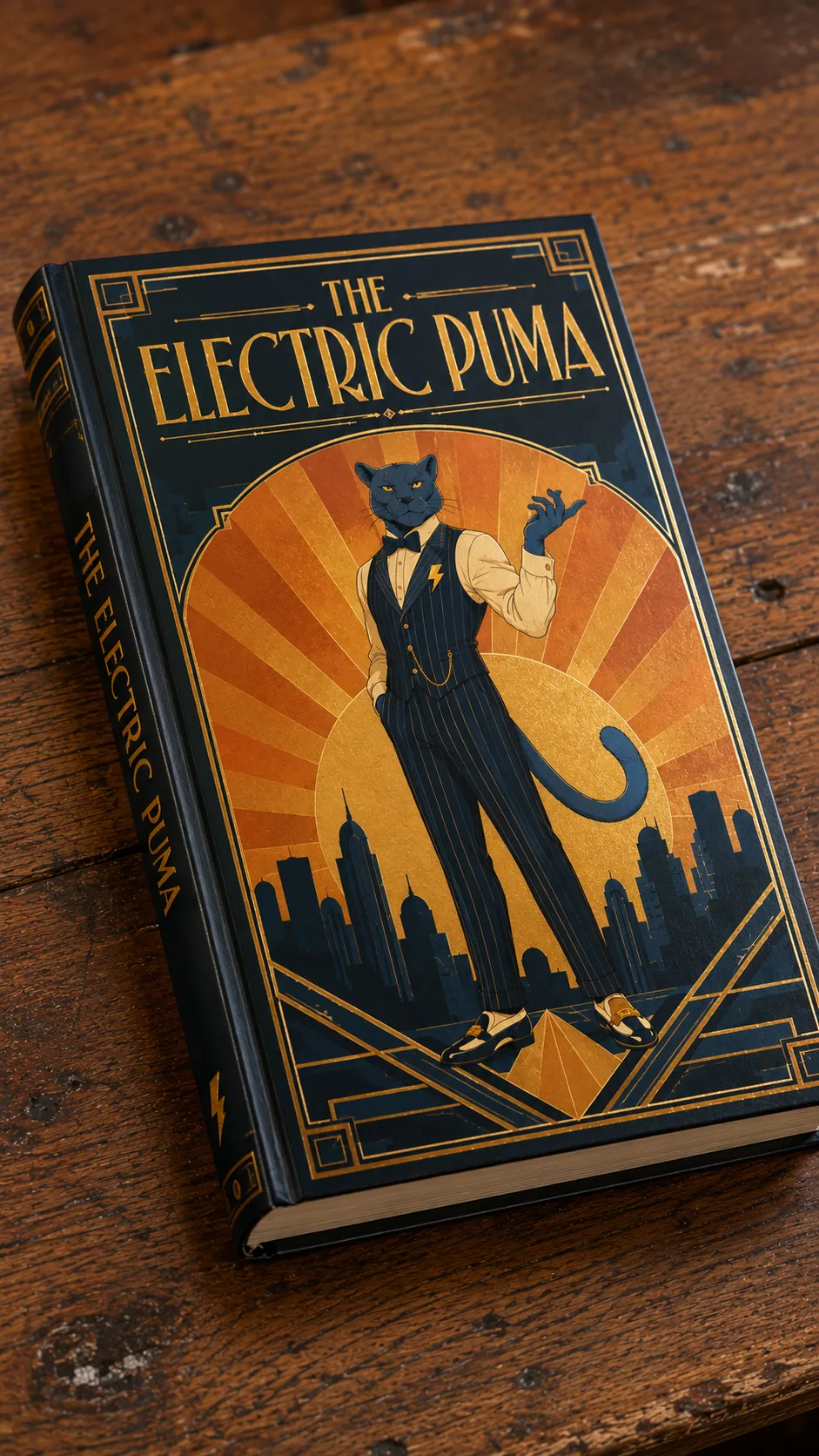
Here's the full prompt:
An elegant Art Deco travel-poster style cover featuring a full-body anthropomorphic blue puma standing confidently in the exact center. Both legs fully visible, sleek geometric posture, one arm raised in a poised, theatrical gesture. The puma wears a sharp pinstripe vest, a slim bow tie, and polished loafers, with a bold yellow lightning bolt stitched onto a lapel pin.
The composition is built entirely from flat, symmetrical geometric shapes: concentric sunburst rays in warm gold and burnt orange radiating behind the character, layered like a 1920s travel poster sunset. Simplified rounded skyline silhouettes in deep navy sit along the bottom edge.
The title "THE ELECTRIC PUMA" is set in elegant tall Art Deco lettering along the top arc, gold foil effect, evenly spaced, with thin decorative line rules above and below.
Flat bold color blocking, minimal gradients limited to the sunburst, crisp geometric linework, no painterly texture, muted vintage palette of gold, deep teal, cream and burnt orange, poster-print aesthetic, subtle paper grain, high symmetry, elegant restrained composition, collectible vintage travel-poster look, portrait 9:16.
All four styles look completely different from each other: vintage, cyberpunk, modern anime, Art Deco. But they all run on the exact same trick, because what actually determines whether the pop-out works isn't the art style, it's whether the character's silhouette stays clean, centered, and instantly readable at a glance. Which brings us to the part you've been waiting for.
Now for Part Two: The Prompt That Moves Them
Now for the part you've probably been waiting for: how you actually make the illustrated character get up off the page. It's a relatively short video prompt that runs on the image you already generated, and it doesn't ask the AI to "create an animation." It describes physics.
Here's the full prompt, exactly as written:
A realistic human index finger enters the frame and gently presses the illustrated character on the surface. At the point of contact, the artwork behaves like soft elastic vinyl, compressing inward before stretching outward while gradually gaining realistic 3D volume. The character remains attached to the surface by a thin elastic membrane for a brief moment as tension builds. Suddenly, with a satisfying POP, the character breaks free from the surface in one smooth elastic release and lands as a fully three-dimensional version of the original artwork. The original surface is left with a clean character-shaped empty silhouette where the illustration used to be. Locked camera, no cuts, realistic physics, smooth continuous transformation, cinematic lighting.
"Behaves like soft elastic vinyl": that's not a design direction, it's a material direction. Instead of asking the model for "animation," you're telling it exactly what physical material to imagine before it even thinks about what happens on screen. That's the actual difference between a video that looks like a generic transition and one that genuinely feels like something got pressed, stretched, and released.
The moment the character jumps off the page and lands beside it, leaving a clean, empty, character-shaped hole behind, that's the exact moment that "sells" the whole trick.
Closing Thought
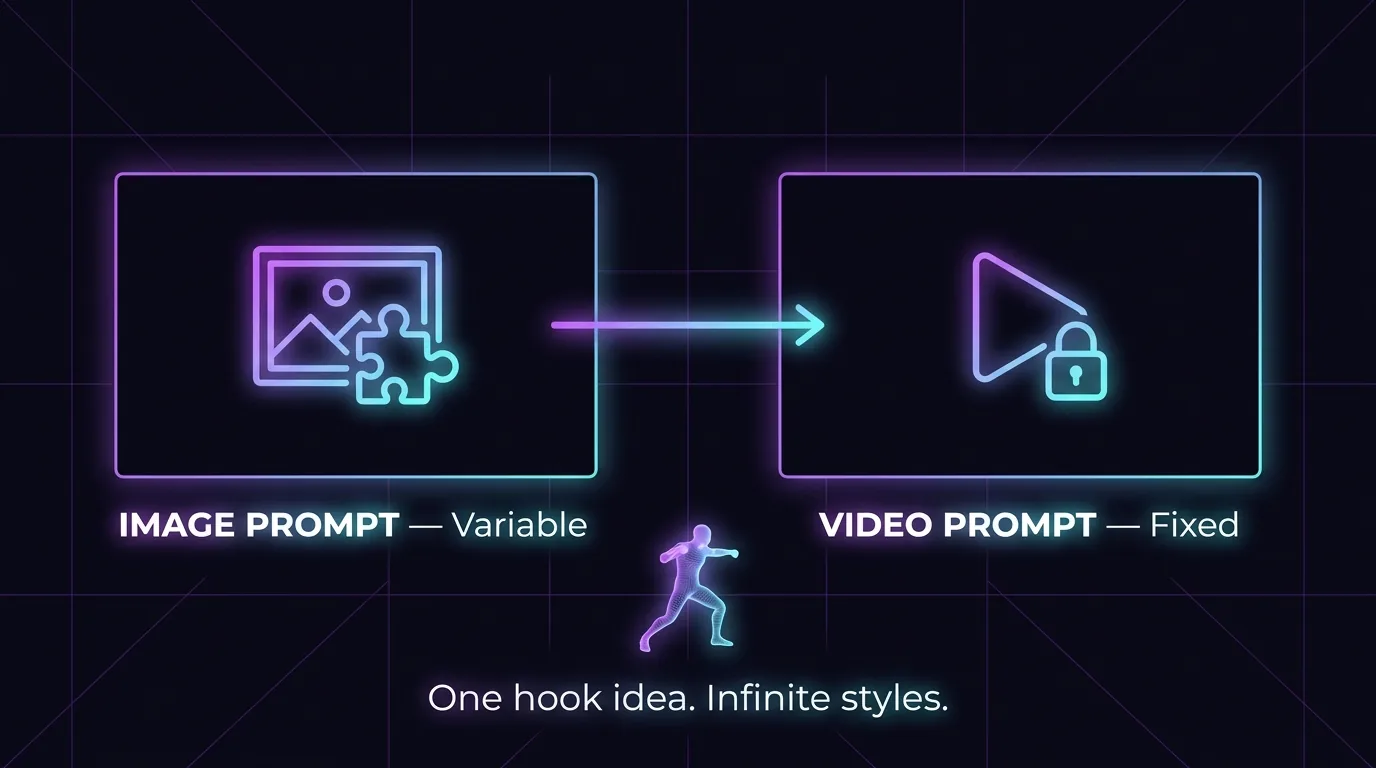
I don't think there's a big technical challenge here. The prompts aren't secret, and the process is pretty easy to replicate once you understand the logic: an image with a clean silhouette, then a video prompt that describes physics instead of "animation."
The question I actually find interesting isn't how to do this, it's where it's useful in real work. I keep thinking about it in the context of videos we produce for clients: a product cover or logo coming to life in 3D could make a strong ad opener, or a visual beat similar to our social feed frame break animations. It could also work as a repeatable social content format, something you could apply to any brand with a fixed logo or cover, and get a result that looks a lot more expensive than it actually costs.
I still don't know if I'll actually use this trick on a real client project in the next month. But this is exactly the kind of thing I love digging into, not because it "saves time," but because every so often I stumble onto something that makes me stop and think, "wait, is that actually possible now?" This was one of those times.
You might also like
 Creating Viral AI Videos — How to Produce the Colossal Hand Effect
 We've got plenty more tricks and techniques like this in our guides section — worth digging through.